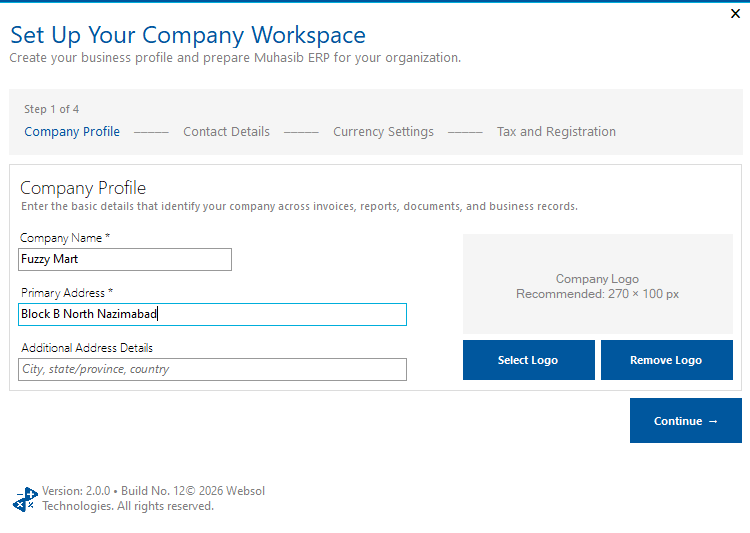
This guide will help you create the first company workspace with its identity, contact, currency, tax, and branding information.
Muhasib creates the company and associates it with the super-administration role. A missing super-administration role prevents creation. The next first-run task is creating the workspace administrator.
You need access to First-run database administrator. The database must contain the required super-administration role.
Prepare the legal company name, primary address/contact, business email, base currency name/code/symbol/words, decimal places, registration number, NTN/STRN where needed, and a sanitized logo about 270 x 100 pixels.
Follow the launch, wizard, login, company-selection, Back Office, or power path described in the procedure; the available starting screen depends on current installation state.
In Step 1 of 4 - Company Profile, enter Company Name and Primary Address. Add the secondary address when needed.
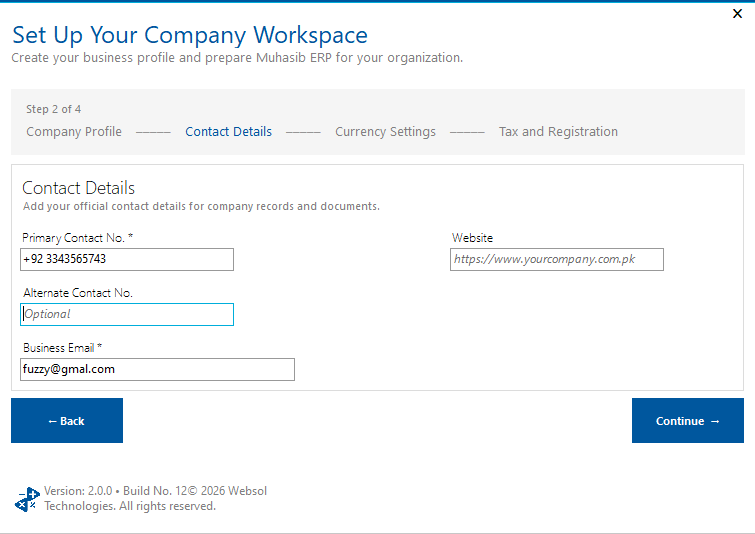
In Step 2 of 4 - Contact Details, enter Primary Contact No. and a valid Business Email. Add secondary contact and website as needed.
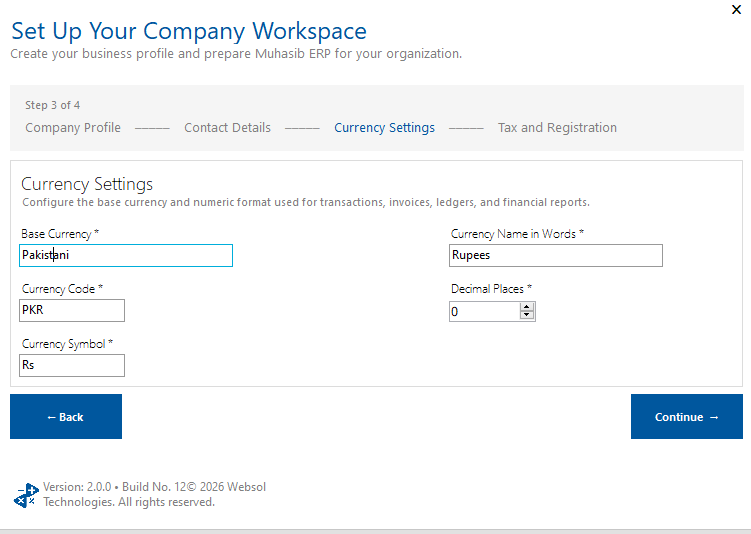
In Step 3 of 4 - Currency Settings, enter Base Currency, Currency Code, Currency Symbol, Currency Name in Words, and decimal places.
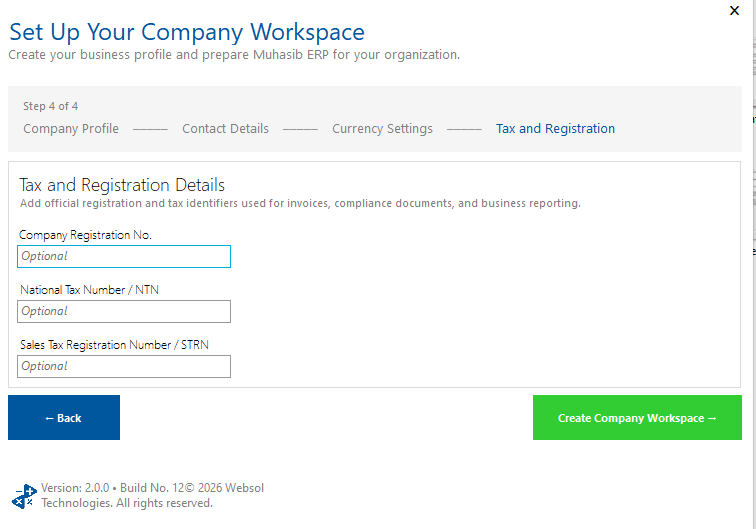
In Step 4 of 4 - Tax/Registration, enter the needed registration number, NTN, and STRN.
Review currency carefully; it affects transactions, invoices, ledgers, and financial reports.
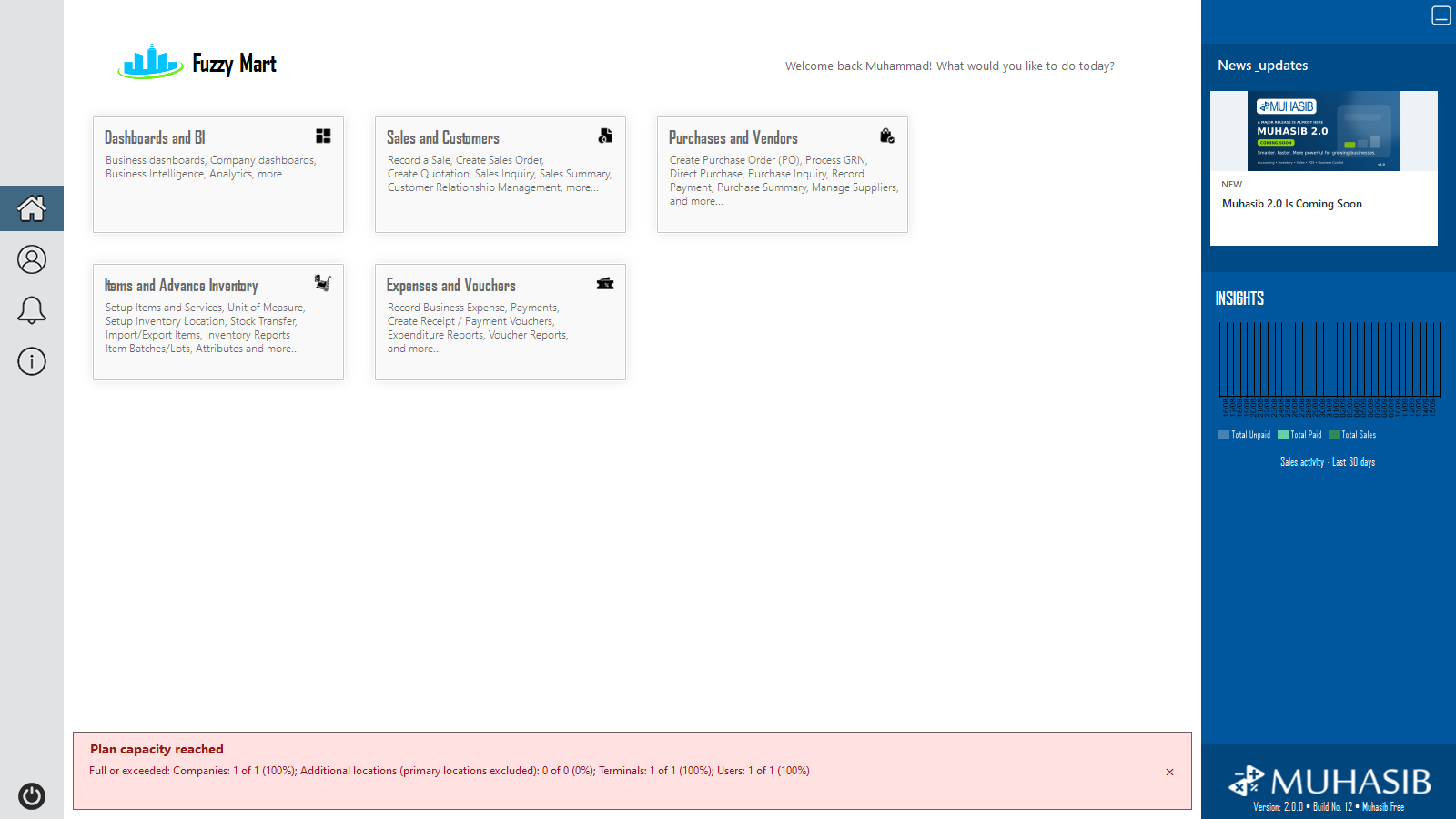
Confirm the new company name appears in the next onboarding/company context and that no duplicate or partial company was created.