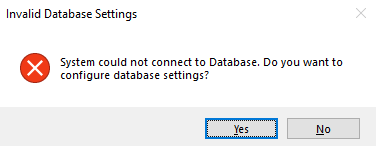
This guide will help you classify a startup interruption and take a safe recovery action without risking the business database or licence assignment.
If this issue is stopping your work, do not worry. Follow the steps one at a time, and check the result before trying again.
Muhasib advances to the next allowed lifecycle state or preserves the current state for safe diagnosis; the verification section identifies the expected result.
You need access to Use requires the rights and business authority described by the workflow. Database, licence, user, company, or system changes require the responsible administrator.
Record the application version/build if known, database server and database name without credentials, the exact message, and whether this is a new installation, ordinary launch, or upgrade.
Follow the launch, wizard, login, company-selection, Back Office, or power path described in the procedure; the available starting screen depends on current installation state.
Identify the stage that failed:
Check only the dependency named by the error. For example, check network reachability before changing database settings.
If the error concerns migration, partial database creation, licence transfer, or an unknown data change, stop and contact support.
Provide the installed version, database revision when available, terminal type, and recent change that preceded the failure.
The corrected launch advances past the failed stage and reaches the expected next screen. Make sure the selected company and database are the intended ones.
If the expected result is not shown, stop repeated attempts, check the active database/workspace/user/licence context, preserve the exact message, and follow the related recovery article.