
Activate Muhasib Free
How to Activate Muhasib Free in Muhasib ERP
Overview
This guide will help you register an allowed business and activate the current Muhasib workspace on the Free plan.
Muhasib associates the local instance and database identity with the resulting licence state. A new database normally proceeds to company and administrator onboarding; an existing set up database may proceed toward sign-in.
Who can do this
You need access to Use requires the rights and business authority described by the workflow. Database, licence, user, company, or system changes require the responsible administrator.
Before you start
Connect the intended Muhasib database and make sure internet access to the authorized activation service. Use business contact information that you are authorized to submit.
Where to find it
Follow the launch, wizard, login, company-selection, Back Office, or power path described in the procedure; the available starting screen depends on current installation state.
Activate Muhasib Free
Step 1: In the Activation wizard, choose Start Free
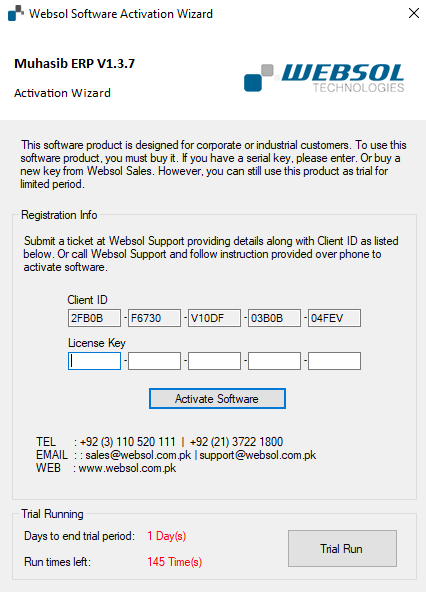
Step 2: Enter the contact's first name and last name
Step 3: Enter the business name
Step 4: Enter the authorized business email address
Step 5: Submit the activation request
Step 6: Wait for Muhasib has been activated successfully before closing the

Wait for Muhasib has been activated successfully before closing the wizard.
Check your work
Open Licence Information and confirm that status, plan, database identity, instance identity, and terminal type match the intended workspace.
If something goes wrong
- Complete every required identity/business field.
- If activation is refused, do not repeatedly create identities or databases; preserve the service message.
- If the organization already owns a subscription, use that subscription rather than creating an unrelated Free workspace.
Related guides
- Choose the Correct Muhasib Activation Path
- Review and Maintain Muhasib Licence Access
- Create the First Company Workspace
- Resolve a Muhasib Startup Interruption