
Create the First Company Workspace
How to Create the First Company Workspace in Muhasib ERP
Overview
This guide will help you create the first company workspace with its identity, contact, currency, tax, and branding information.
Muhasib creates the company and associates it with the super-administration role. A missing super-administration role prevents creation. The next first-run task is creating the workspace administrator.
Who can do this
You need access to First-run database administrator. The database must contain the required super-administration role.
Before you start
Prepare the legal company name, primary address/contact, business email, base currency name/code/symbol/words, decimal places, registration number, NTN/STRN where needed, and a sanitized logo about 270 x 100 pixels.
Where to find it
Follow the launch, wizard, login, company-selection, Back Office, or power path described in the procedure; the available starting screen depends on current installation state.
Create the First Company Workspace
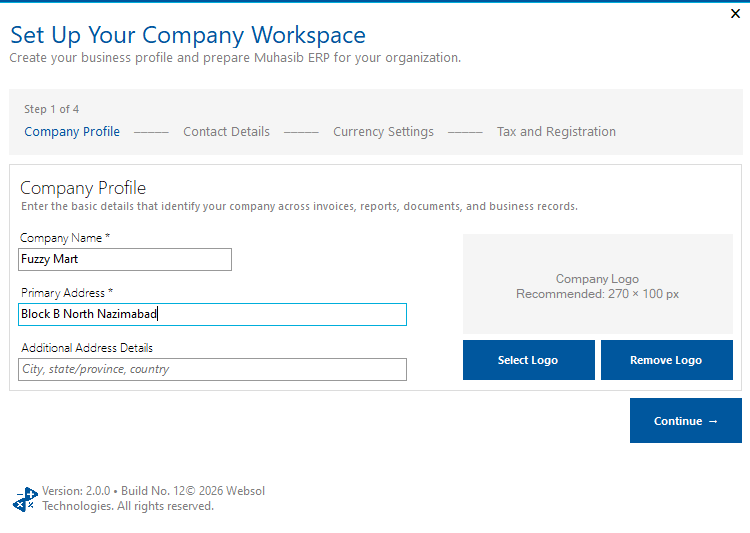
Step 1: In Step 1 of 4 - Company Profile, enter Company
In Step 1 of 4 - Company Profile, enter Company Name and Primary Address. Add the secondary address when needed.
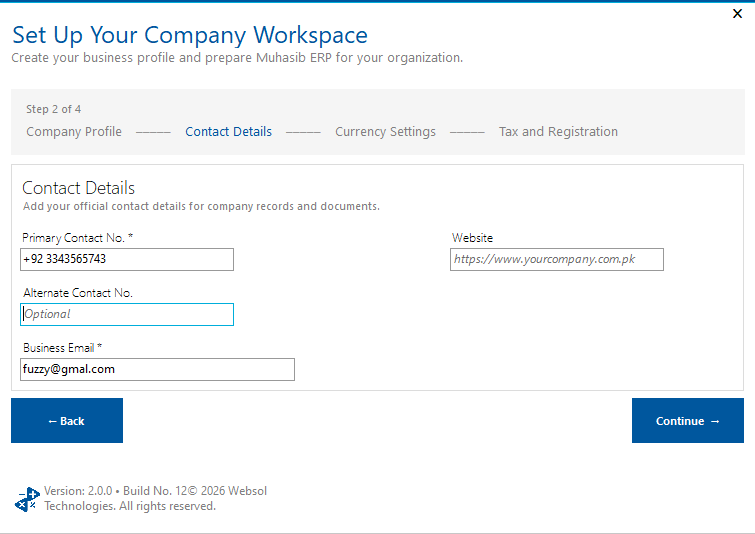
Step 2: In Step 2 of 4 - Contact Details, enter Primary
In Step 2 of 4 - Contact Details, enter Primary Contact No. and a valid Business Email. Add secondary contact and website as needed.
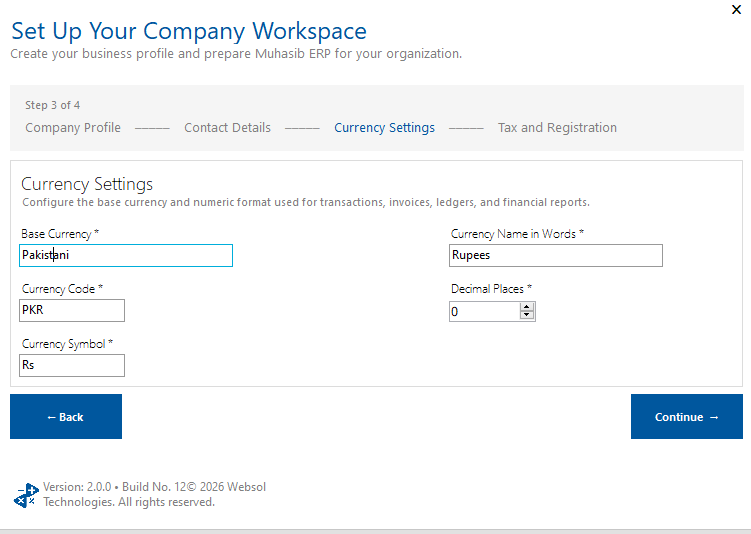
Step 3: In Step 3 of 4 - Currency Settings, enter Base
In Step 3 of 4 - Currency Settings, enter Base Currency, Currency Code, Currency Symbol, Currency Name in Words, and decimal places.
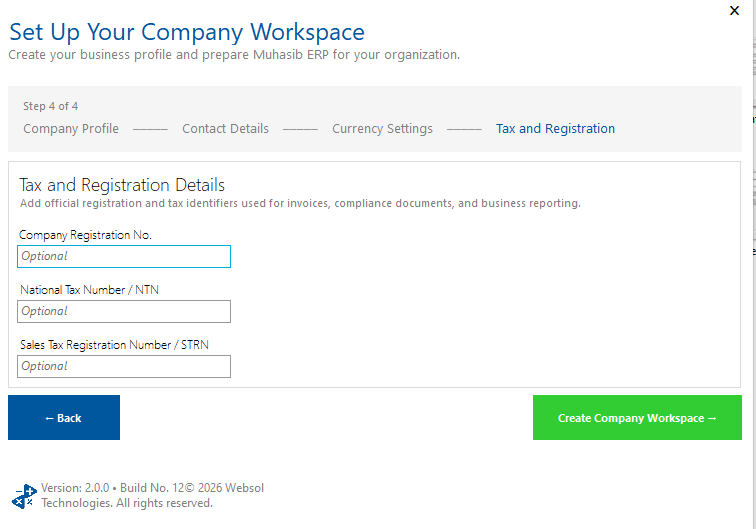
Step 4: In Step 4 of 4 - Tax/Registration, enter the applicable
In Step 4 of 4 - Tax/Registration, enter the needed registration number, NTN, and STRN.
Step 5: Select the approved company logo if required
Step 6: Review currency carefully; it affects transactions, invoices, ledgers, and financial
Review currency carefully; it affects transactions, invoices, ledgers, and financial reports.
Step 7: Save and wait for Company Workspace Created
Check your work
Confirm the new company name appears in the next onboarding/company context and that no duplicate or partial company was created.
If something goes wrong
- Company name, primary address/contact, business email, and all core currency fields are required by this workflow.
- Use a unique company name.
- If creation reports a missing super-administration role, stop and contact support rather than modifying database roles directly.
Related guides
- Create the Workspace Administrator
- Update the Active Company's Identity and Branding
- Understand Company, Location, Terminal, and Licence Identities
- Configure Receipt and Invoice Content