
Connect Muhasib ERP to an Existing Database
How to Connect Muhasib ERP to an Existing Database in Muhasib ERP
Overview
This guide will help you configure this workstation to use an existing approved Muhasib database.
Muhasib stores the selected host, database, authentication mode, and needed credentials in the local workstation settings. On startup it may create missing default settings or apply supported initialization/migration work.
Who can do this
You need access to Access to Database Setup and valid SQL Server. Get the connection details from the database administrator.
Before you start
Confirm the SQL Server name, database name, authentication method, and whether the database revision is compatible with this Muhasib build. Keep a verified backup before connecting a newer build.
Where to find it
Follow the launch, wizard, login, company-selection, Back Office, or power path described in the procedure; the available starting screen depends on current installation state.
Connect Muhasib ERP to an Existing Database
Step 1: Open Database Setup during first launch or through the approved
Open Database Setup during first launch or through the approved setup route.
Step 2: In Server, select or enter the approved SQL Server
Step 3: Choose the authentication method
Choose the authentication method:
- Windows authentication uses the current Windows identity.
- SQL authentication requires the assigned database username and password.
Step 4: Connect to the server so Muhasib can load the database list
Step 5: Select the exact existing Muhasib database. Do not select an
Select the exact existing Muhasib database. Do not select an empty or unrelated business database.
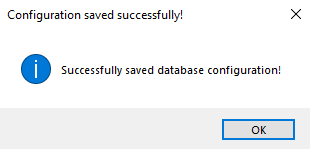
Step 6: Choose Apply DB Settings
Step 7: Continue through initialization, activation, onboarding, or sign-in as prompted
Check your work
Restart Muhasib and confirm that it reconnects to the same database and shows the expected company or sign-in context.
If something goes wrong
- An empty database list usually indicates connectivity, authentication, or SQL permissions problems.
- If the chosen database is not recognized as Muhasib, stop rather than allowing uncertain initialization.
- Never expose the stored SQL password in a screenshot or support attachment.
Related guides
- Prepare a Computer to Run Muhasib ERP
- Create a New Muhasib Database
- Resolve a Muhasib Startup Interruption
- Choose the Correct Muhasib Activation Path