
Launch Muhasib ERP
How to Launch Muhasib ERP in Muhasib ERP
Overview
This guide will help you start Muhasib ERP and recognize whether it is proceeding normally or needs database, activation, onboarding, or recovery action.
Startup can create missing default settings and may initialize or migrate database data. A successful set up launch reaches sign-in and then the authorized company workspace.
Who can do this
You need access to Permission to run the installed application. Database or activation administration may be required if first-run setup appears.
Before you start
Prepare the computer and make sure the set up SQL Server is reachable. Back up the database before the first launch of a newer application build.
Where to find it
Follow the launch, wizard, login, company-selection, Back Office, or power path described in the procedure; the available starting screen depends on current installation state.
Launch Muhasib ERP
Step 1: Start Muhasib ERP from the approved Windows shortcut or executable
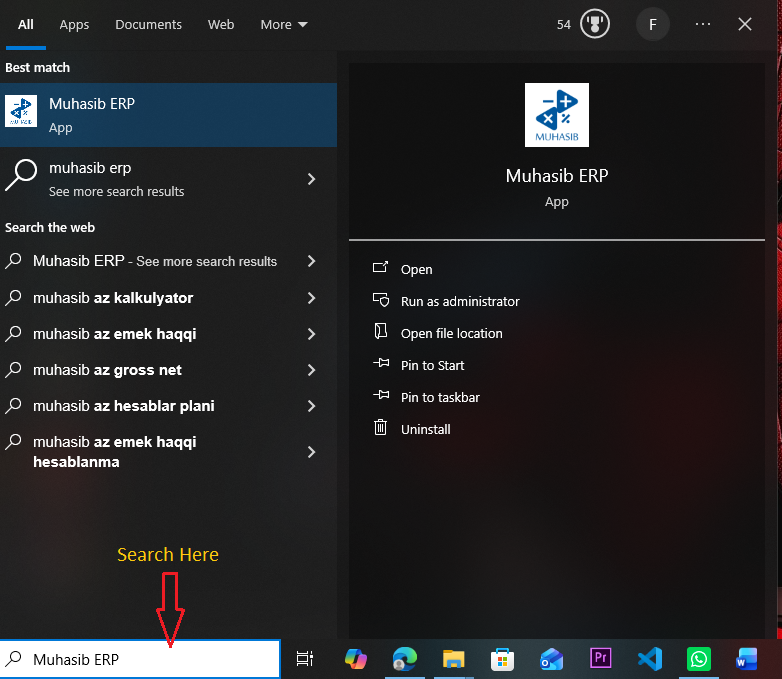
Step 2: Wait while the launcher displays Initializing Muhasib ERP...

Step 3: Allow the launcher to check the database, initialize required data,
Allow the launcher to check the database, initialize required data, evaluate the licence, and load available modules.
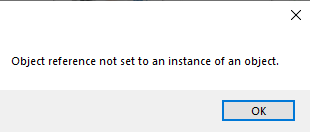
Step 4: Continue according to the screen that opens
Continue according to the screen that opens:
- Database Setup: connect or create the approved database.
- Activation: choose the correct licence path.
- Company/Administrator wizard: complete first-time onboarding.
- Sign in: enter your Muhasib credentials.
Step 5: If an error remains on screen, record its title and
If an error remains on screen, record its title and message before closing it.
Check your work
The launcher closes and an expected next screen appears. You should not see a repeating database, activation, initialization, or capacity error.
If something goes wrong
- Do not repeatedly restart during an apparent migration.
- Do not point the application at a different database merely to bypass an error.
- If the database revision or application build is uncertain, preserve the error and contact support.
Related guides
- Prepare a Computer to Run Muhasib ERP
- Resolve a Muhasib Startup Interruption
- Connect Muhasib ERP to an Existing Database
- Choose the Correct Muhasib Activation Path
- Sign In to Muhasib ERP